

Skip to content
  • Home
  • Widgets
  • Docs
  • Contact
Get With shopier

Getting Started

2
  • Plugin Installation
  • How to Add Elemmerce Widgets in Elementor

How to use plugin widgets

12
  • How to Setup Woo – Archive Products
  • How to Setup Woo – Categories
  • How to Setup Woo – Archive Carousel
  • How to Setup Site Logo
  • How to Setup YITH Compare
  • How to Setup YITH Wishlist
  • How to Setup My Account
  • How to Setup Cart
  • How to Setup Search
  • How to Setup Drop Down Nav
  • How to Setup Query Management
  • Frequently Asked Questions
View Categories
  • Home
  • Docs
  • How to use plugin widgets
  • How to Setup Site Logo

How to Setup Site Logo

1 min read

Elemmerce Site Logo helps in showcasing your logo on any page, offering styling options from which you can present your site logo to your viewer within minutes.  You can follow the guideline below to configure and style your Elemmerce Site Logo.

HOW TO ACTIVATE Elemmerce Site Logo? #

First of all make sure you have installed and activated WooCommerce plugin. After that install and activate Elemmerce plugin.  Elemmerce Site Logo will be activated automatically and you can locate the widget in elementor.

How to add Elemmerce Site Logo? #

To utilize the Elemmerce element, open your desired page in Elementor (existing or new). Navigate to the ‘Elements’ tab and use the search option to find the ‘Site Logo’ element. Now simply drag and drop the widget onto the page or the ‘+’ section as shown in example.
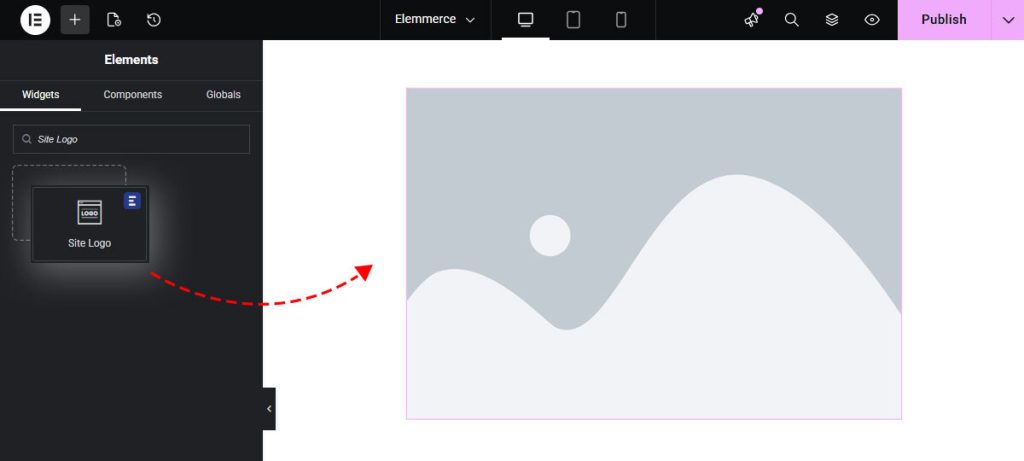
Configuring widgets Settings

CONTENT TAB #

Under Content Tab you will find Content section.

How to Setup Custom Image #

In content section use the Custom Image toggle option to set the custom site logo in your page.
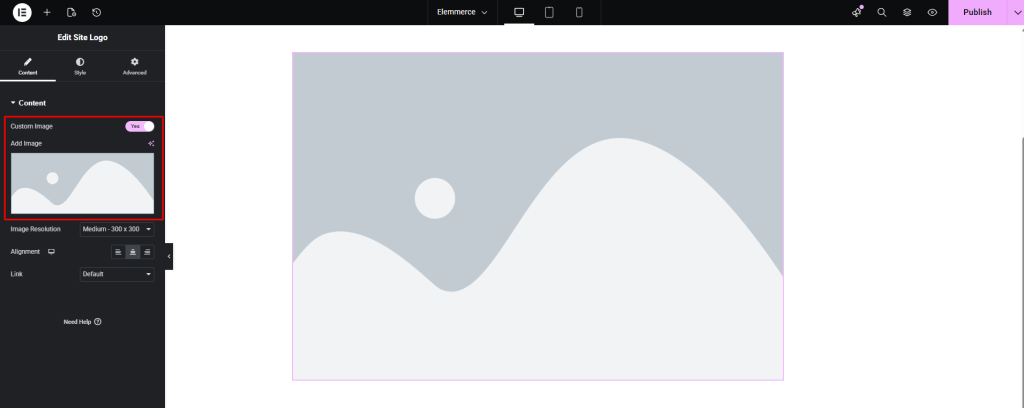
Other Content section options are:

  • Image Resolution
  • Alignment
  • Link

STYLE TAB #

How to Style Elemmerce Site Logo?

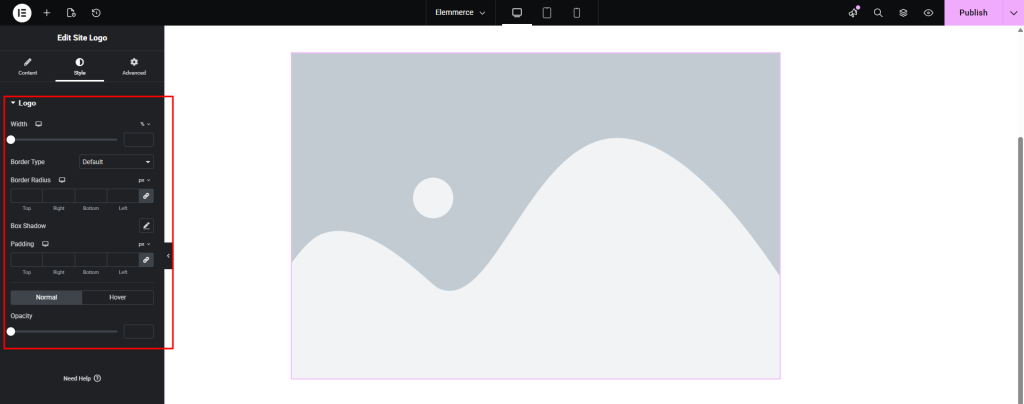
Customizing your Site Logo with borders, colors, opacity, alignment and other adjustment you need to go to Style Tab. In style tab you will find logo section which will provide different controls which will help you to style your logo. 
Updated on June 8, 2026

What are your Feelings

  • Happy
  • Normal
  • Sad

Share This Article :

  • Facebook
  • X
  • LinkedIn
  • Pinterest
How to Setup Woo – Archive CarouselHow to Setup YITH Compare
Table of Contents
  • HOW TO ACTIVATE Elemmerce Site Logo?
  • How to add Elemmerce Site Logo?
  • CONTENT TAB
    • How to Setup Custom Image
  • STYLE TAB

Copyright © 2026 Elemmerce. All rights reserved.

Powered by
►
Necessary cookies enable essential site features like secure log-ins and consent preference adjustments. They do not store personal data.
None
►
Functional cookies support features like content sharing on social media, collecting feedback, and enabling third-party tools.
None
►
Analytical cookies track visitor interactions, providing insights on metrics like visitor count, bounce rate, and traffic sources.
None
►
Advertisement cookies deliver personalized ads based on your previous visits and analyze the effectiveness of ad campaigns.
None
►
Unclassified cookies are cookies that we are in the process of classifying, together with the providers of individual cookies.
None
Powered by